Learn how to make two-factor authentication (2FA) mandatory for every member of your organization
An organization can require two-factor authentication (2FA) from every member. A member without 2FA cannot log in to the organization until they turn it on. Members can use an authenticator app or email codes.Owners and Admins can change this setting.
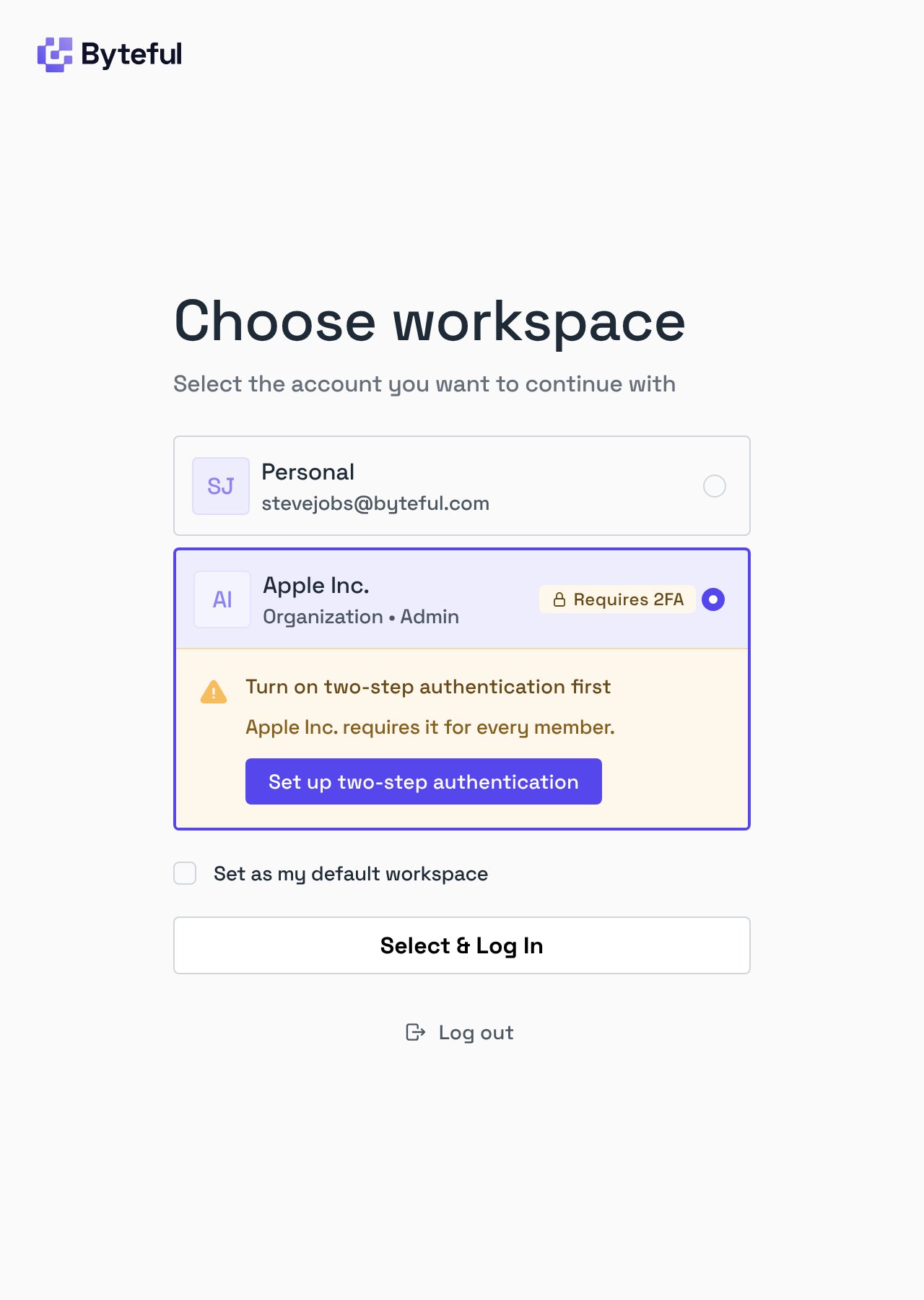
A member without 2FA can still log in to Byteful and use their personal workspace. When they choose your organization on the Choose workspace page, the organization card shows Requires 2FA and a notice.
The member clicks Set up two-step authentication. Byteful opens their personal workspace on the Security tab.
The member turns on an authenticator app or email codes.
The member chooses your organization again, and logs in.
You can invite people who do not have 2FA. They can accept the invitation and become members. They log in to the organization after they turn on 2FA.
The requirement checks only that 2FA is on in a member’s account. It does not make Google logins ask for a code. A member who logs in with Google, or with another sign-in provider, does not enter a 2FA code. If 2FA is on in that member’s account, they can log in to the organization with Google and no code.